planet.linuxaudio.org

February 01, 2026

blog4

block 4 dialogues I Helsinki

We kickstart a new international event series in February in Helsinki (FI):
Block 4 dialogues x performance protocols interventions at Toinen Kerros by Äänen Lumo (Nokiantie 2), #Helsinki on 13 and 14 February 2026 

13. February will be 4 concerts with 
- Tina Mariane Krogh Madsen
- Elektronengehirn
- Petri Kuljuntausta 
and a trio improvisation. 

14. February will have 2 workshops: 
- Deep Listening with Tina Mariane Krogh Madsen 
- Data sonification with Jupyter Lab and Pure Data by Malte Steiner, times TBA. 

by herrsteiner (noreply@blogger.com) at February 01, 2026 09:03 PM

digital audio hacks – Hackaday

Motorized Faders Make An Awesome Volume Mixer For Your PC

These days, Windows has a moderately robust method for managing the volume across several applications. The only problem is that the controls for this are usually buried away. [CHWTT] found a way to make life easier by creating a physical mixer to handle volume levels instead.

The build relies on a piece of software called MIDI Mixer. It’s designed to control the volume levels of any application or audio device on a Windows system, and responds to MIDI commands. To suit this setup, [CHWTT] built a physical device to send the requisite MIDI commands to vary volume levels as desired. The build runs on an Arduino Micro. It’s set up to work with five motorized faders which are sold as replacements for the Behringer X32 mixer, which makes them very cheap to source. The motorized faders are driven by L293D motor controllers. There are also six additional push-buttons hooked up as well. The Micro reads the faders and sends the requisite MIDI commands to the attached PC over USB, and also moves the faders to different presets when commanded by the buttons.

If you’re a streamer, or just someone that often has multiple audio sources open at once, you might find a build like this remarkably useful. The use of motorized faders is a nice touch, too, easily allowing various presets to be recalled for different use cases.

We love seeing a build that goes to the effort to include motorized faders, there’s just something elegant and responsive about them.

by Lewin Day at February 01, 2026 12:00 AM

January 31, 2026

digital audio hacks – Hackaday

Playing YouTube From The Command Line

Generally, one opens a web browser or an app to use YouTube. However, if you’re looking to just listen to the audio, you can actually do that right from the terminal. You just need Shellbeats from [lalo-space].

Shellbeats is primarily intended for playing music from YouTube, and is well equipped for this task. It allows searching YouTube directly from the terminal, as well as streaming tracks or entire playlists from the command line interface. You can also make and edit playlists from within the tool, and even download the whole lot as MP3s if so desired. It’s all keyboard-operated and nicely lightweight. The overall experience isn’t dissimilar from operating a simple LCD-based MP3 player from 20 years ago.

There’s plenty of other fun stuff you can do in the terminal, too, as we’ve explored previously. If you’re working on your own media player hacks, be sure to notify us on the tipsline!

by Lewin Day at January 31, 2026 12:00 PM

January 27, 2026

GStreamer News

GStreamer 1.28.0 new major stable release

The GStreamer team is excited to announce a new major feature release of your favourite cross-platform multimedia framework!

As always, this release is again packed with new features, bug fixes and many other improvements.

The 1.28 release series adds new features on top of the previous 1.26 series and is part of the API and ABI-stable 1.x release series of the GStreamer multimedia framework.

Highlights:

  • AMD HIP plugin and integration helper library
  • Vulkan Video AV1 and VP9 decoding, H.264 encoding, and 10-bit support for H.265 decoder
  • waylandsink: Parse and set the HDR10 metadata and other color management improvements
  • Audio source separation element based on demucs in Rust
  • Analytics combiner and splitter elements plus batch meta to batch buffers from one or more streams
  • LiteRT inference element; move modelinfo to analytics lib; add script to help with modelinfo generation and upgrade
  • Add general classifier tensor-decoder, facedetector, and more analytics convenience API
  • New tensordecodebin element to auto-plug compatible tensor decoders based on their caps and many other additions and improvements
  • Add a burn-based YOLOX inference element and a YOLOX tensor decoder in Rust
  • applemedia: VideoToolbox VP9 and AV1 hardware-accelerated decoding support, and 10-bit HEVC encoding
  • Add new GIF decoder element in Rust with looping support
  • input-selector: implements a two-phase sinkpad switch now to avoid races when switching input pads
  • The inter wormhole sink and source elements gained a way to forward upstream events to the producer as well as new fine-tuning properties
  • webrtcsink: add renegotiation support and support for va hardware encoders
  • webrtc WHEP client and server signaller
  • New ST-2038 ancillary data combiner and extractor elements
  • fallbacksrc gained support for encoded streams
  • flv: enhanced rtmp H.265 video support, and support for multitrack audio
  • glupload: Implement udmabuf uploader to share buffers between software decoders/sources and GPUs, display engines (wayland), and other dma devices
  • video: Add crop, scale, rotate, flip, shear and more GstMeta transformation
  • New task pool GstContext to share a thread pool amongst elements for better resource management and performance, especially for video conversion and compositing
  • New Deepgram speech-to-text transcription plugin and many other translation and transcription improvements
  • Speech synthesizers: expose new "compress" overflow mode that can speed up audio while preserving pitch
  • ElevenLabs voice cloning element and support for Speechmatics speaker identification API
  • textaccumulate: new element for speech synthesis or translation preprocessing
  • New vmaf element to calculate perceptual video quality assessment scores using Netflix's VMAF framework
  • decodebin3: expose KLV, ID3 PES and ST-2038 ancillary data streams with new metadata GstStream type
  • New MPEG-H audio decoding plugin plus MP4 demuxing support
  • LCEVC: Add autoplugging decoding support for LCEVC H265 and H266 video streams and LCEVC H.265 and H.266 encoders
  • RTP "robust MPEG audio", raw audio (L8, L16, L24), and SMPTE ST291 ancillary metadata payloaders/depayloaders in Rust
  • Add a Rust-based icecastsink element with AAC support
  • The Windows IPC plugin gained support for passing generic data in addition to raw audio/video, and various properties
  • New D3D12 interlace and overlay compositor elements, plus many other D3D12 improvements
  • Blackmagic Decklink elements gained support for capturing and outputting all types of VANC via GstAncillaryMeta
  • GstLogContext API to reduce log spam in several components and `GST_DEBUG_ONCE` (etc) convenience macros to log things only once
  • hlssink3, hlscmafsink: Support the use of a single media file, plus I-frame only playlist support
  • Webkit: New wpe2 plugin making use of the "WPE Platform API"
  • MPEG-TS demuxer can now disable skew corrections
  • New Qt6 QML render source element
  • qml6gloverlay: support directly passing a QQuickItem for QML the render tree
  • unifxfdsink: Add a property to allow copying to make sink usable with more upstream elements
  • dots-viewer: Improve dot file generation and interactivity
  • Python bindings: more syntactic sugar, analytics API improvements and type annotations
  • cerbero: add support for Python wheel packaging, Windows ARM64, new iOS xcframework, Gtk4 on macOS and Windows, and more plugins
  • Smaller binary sizes of Rust plugins in Windows and Android binary packages
  • Peel: New C++ bindings for GStreamer
  • Lots of new plugins, features, performance improvements and bug fixes
  • Countless bug fixes, build fixes, memory leak fixes, and other stability and reliability improvements

For more details check out the GStreamer 1.28 release notes.

Many thanks to everyone who contributed to this release!

Binaries for Android, iOS, macOS and Windows will be provided in due course.

You can download release tarballs directly here: gstreamer, gst-plugins-base, gst-plugins-good, gst-plugins-ugly, gst-plugins-bad, gst-libav, gst-rtsp-server, gst-python, gst-editing-services, gst-devtools, gstreamer-vaapi, gstreamer-sharp, gstreamer-docs.

January 27, 2026 05:00 PM

January 22, 2026

blog4

Tina Mariane Krogh Madsen concert at Audioblast #14

Tina Mariane Krogh Madsen is performing a streaming concert February 6th at Apo33 Audioblast festival:
Coming up: Tina Mariane Krogh Madsen will perform the piece vibrational difference # II (meditation on extractivism) at Audioblast #14 on February 6th. 2026. The festival is organized by Apo33: Live en ligne et hybdride – “Hyperécoutes en réseau” Online live – “Networked Hyper-listening” Vendredi 6 février 2026 de 14h à 22h. Performances en direct via la plateforme de streaming d’APO33 et en multistreams, sur place à Apo33 (Psalette) avec places limitées (réservation obligatoire)

by herrsteiner (noreply@blogger.com) at January 22, 2026 01:31 PM

January 16, 2026

Linux Archives - CDM Create Digital Music

Fractiv wants to make granular sound easier to shape, sculpt, and play

More, granular -- less random. That's the pitch from Fractiv, a new sampling granular instrument and effect from Sync Audio. Just when you thought you couldn't squeeze more ideas out of granular sound, they've got some smart ideas, including a more playable, precise interface, and grain-based modulation. Mac, Windows, and Linux. Here's a first look.

The post Fractiv wants to make granular sound easier to shape, sculpt, and play appeared first on CDM Create Digital Music.

by Peter Kirn at January 16, 2026 05:10 PM

News – Ubuntu Studio

Ubuntu Studio 25.04 Has Reached End-Of-Life (EOL)

As of January 15, 2025, all flavors of Ubuntu 25.04, including Ubuntu Studio 25.04, codenamed “Plucky Puffin”, have reached end-of-life (EOL). There will be no more updates of any kind, including security updates, for this release of Ubuntu.

If you have not already done so, please upgrade to Ubuntu Studio 25.10 via the instructions provided here. If you do not do so as soon as possible, you will lose the ability without additional advanced configuration.

No single release of any operating system can be supported indefinitely, and Ubuntu Studio has no exception to this rule.

Interim Ubuntu releases, meaning those that are between the Long-Term Support releases, are supported for 9 months and users are expected to upgrade after every release with a 3-month buffer following each release.

Long-Term Support releases are identified by an even numbered year-of-release and a month-of-release of April (04). Hence, the most recent Long-Term Support release is 24.04 (YY.MM = 2024.April), and the next Long-Term Support release will be 26.04 (2026.April). LTS releases for official Ubuntu flavors (not Desktop or Server which are supported for five years) are three years, meaning LTS users are expected to upgrade after every LTS release with a one-year buffer.

by eeickmeyer at January 16, 2026 04:22 PM

January 11, 2026

Linux Archives - CDM Create Digital Music

PatchSeq puts a FM-filled, sequenced patcher inside your VCV Rack

It's a patcher inside a patcher. And that patcher has more patches that you can copy, randomize, and sequence. And in that patcher is a ton of glitchy goodness. PatchSeq, hot off the grill from Jeremy Wentworth and Voxglitch, is something special.

The post PatchSeq puts a FM-filled, sequenced patcher inside your VCV Rack appeared first on CDM Create Digital Music.

by Peter Kirn at January 11, 2026 09:46 PM

January 10, 2026

Audio – Stefan Westerfeld's blog

SpectMorph 1.0.0-beta3

A new version, SpectMorph 1.0.0-beta3 is available at www.spectmorph.org.

SpectMorph (CLAP/LV2/VST plugin, JACK) is able to morph between samples of musical instruments. A standard set of instruments is shipped with SpectMorph, and an instrument editor is available to create user defined instruments from user samples.

The new features of the 1.0.0 beta releases (compared to the latest stable version) are described in a YouTube Tutorial.

In the beta3 version, the instrument editor has a new pitch detection algorithm and support for mp3 files. Other than that, there were many smaller fixes, some of them addressing critical problems, so we recommend updating.

If you are interested in a detailed list of changes, you can look at the NEWS file.

by stw at January 10, 2026 11:44 AM

January 08, 2026

GStreamer News

Orc 0.4.42 release

The GStreamer team is pleased to announce another release of liborc, the Optimized Inner Loop Runtime Compiler, which is used for SIMD acceleration in GStreamer plugins such as audioconvert, audiomixer, compositor, videoscale, and videoconvert, to name just a few.

This release contains both bug fixes and new features.

Highlights:

  • Initial 64-bit RISC-V support
  • Add 64-bit LoongArch support
  • Implement release and reuse of temporary registers for some targets
  • x86: Implement EVEX encoding and an opcode validation system
  • x86: Opcode refactor, improved constant handling and various other fixes
  • x86: add missing rounding operands for AVX and SSE
  • x86: Implement 64-bit single move constant load
  • includes: stop exporting the private compiler and OrcTarget definitions
  • Use hotdoc instead of gtk-doc to generate the documentation
  • ORC_DEBUG_FATAL environment variable allows abort on log messages of a certain level
  • Error message improvements and NEON backend clean-ups
  • Fix a few valgrind issues
  • Build: enable tools such as orcc and orc-bugreport by default
  • Various build fixes

Direct tarball download: orc-0.4.42.tar.xz.

January 08, 2026 12:00 PM

December 30, 2025

linux_audio – autostatic.com

Linux audio performance improvements

This is a recap in blog form of the following Mastodon toot: https://mastodon.autostatic.net/@jeremy/115632831793380239

The biggest performance improvements when it comes to Linux audio you can do are in my experience:

  • Setting the CPU scaling governor to performance.
  • Disabling SMT (Simultaneous MultiThreading).
  • Allow your DAW to set CPU DMA latency. For instance Ardour and Reaper can do this.

The Ardour manual provides some great background information on these matters. CPU scaling governor and SMT are explained here: https://manual.ardour.org/setting-up-your-system/the-right-computer-system-for-digital-audio/. CPU DMA latency is explained here: https://manual.ardour.org/setting-up-your-system/the-right-computer-system-for-digital-audio/

All other recommendations that for instance rtcqs or Millisecond give are for those that really need stable, ultra low latency. So buffer sizes below 64 samples that result in round-trip latencies below 10 milliseconds. This is the area where threaded IRQs or disabling Spectre/Meltdown mitigations might contribute to getting rid of that stray xrun.

Regarding threaded IRQs, enabling those by itself doesn’t change anything. You will need to configure those threaded IRQs after you’ve enabled them. Tools that can do this are rtcirqus or rtirq. You could also do this manually by using the chrt command on the threaded IRQ process.

Modern systems use MSI(-X) interrupts though (Message Signaled Interrupts) so shared IRQs should be something of the past. On those systems there’s very little gain in prioritising threaded IRQs.

The main difference between rtcirqus and rtirq is that rtcirqus allows you to set the real-time priority of a thread based on ALSA card names. rtirq works differently, it sets the real-time priority based on kernel module names. So with rtcirqus you can be sure the desired audio interface gets the desired real-time prio, with rtirq you’re prioritising all the devices that make use of a specific kernel module (xhci_hcd, snd_hda_intel).

rtirq does allow for some finer grained control regarding USB2 ports and onboard audio devices that use the snd_hda_intel driver. The USB2 ehci_hcd driver and the snd_hda_intel driver add the bus name and card index number respectively to the IRQ thread process name so you can use that designation in the rtirq configuration file. In case of USB2 you’re still prioritising the IRQ of the whole USB bus though but then rtcirqus does the same.

by jeremy at December 30, 2025 08:40 PM

rncbc.org - a.k.a. Rui Nuno Capela

Qtractor 1.5.11 - An End-of-Year'25 Release

Qtractor 1.5.11 - An End-of-Year'25 Release

Hi again,

Qtractor 1.5.11 (end-of-year'25) is out!

Change-log:

  • Refactored Clip/Tempo Adjust.. tempo/beat-detection function to Breakfastquay::minibpm as a submodule, in alternative to the now being deprecated (lib)aubio.

Description:

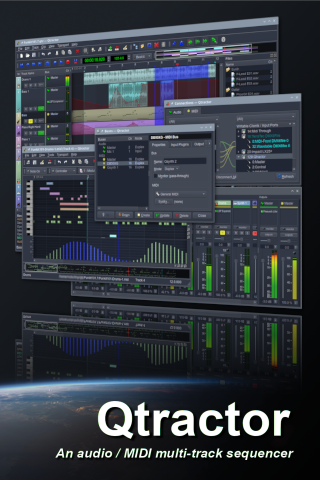
Qtractor is an audio/MIDI multi-track sequencer application written in C++ with the Qt framework. Target platform is Linux, where the Jack Audio Connection Kit (JACK) for audio and the Advanced Linux Sound Architecture (ALSA) for MIDI are the main infrastructures to evolve as a fairly-featured Linux desktop audio workstation GUI, specially dedicated to the personal home-studio.

Website:

https://qtractor.org

Project page:

https://sourceforge.net/projects/qtractor

Downloads:

https://sourceforge.net/projects/qtractor/files

Git repos:

https://git.code.sf.net/p/qtractor/code
https://github.com/rncbc/qtractor.git
https://gitlab.com/rncbc/qtractor.git
https://codeberg.org/rncbc/qtractor.git

Wiki:

https://sourceforge.net/p/qtractor/wiki/

License:

Qtractor is free, open-source Linux Audio software, distributed under the terms of the GNU General Public License (GPL) version 2 or later.

Enjoy && Cheers to the New Year!

Donate to rncbc.org using PayPal Donate to rncbc.org using Liberapay

rncbc

Add new comment

by rncbc at December 30, 2025 06:00 PM

December 29, 2025

rncbc.org - a.k.a. Rui Nuno Capela

qpwgraph v0.9.8 - An End-of-Year'25 Beta Release

qpwgraph v0.9.8 - An End-of-Year'25 Beta Release

Hi all,

qpwgraph v0.9.8 (end-of-year'25) is out!

Change-log:

  • Fixed 'mime-info' file to the correct MIME-type icon names.

Description:

qpwgraph is a graph manager dedicated to PipeWire, using the Qt C++ framework, based and pretty much like the same of QjackCtl.

Project page:

https://gitlab.freedesktop.org/rncbc/qpwgraph

Downloads:

Git repos:

https://gitlab.freedesktop.org/rncbc/qpwgraph.git (official)
https://github.com/rncbc/qpwgraph.git
https://gitlab.com/rncbc/qpwgraph.git
https://codeberg.org/rncbc/qpwgraph.git

License:

qpwgraph is free, open-source software, distributed under the terms of the GNU General Public License (GPL) version 2 or later.

Enjoy && Happy NYE!

Donate to rncbc.org using PayPal Donate to rncbc.org using Liberapay

rncbc

Add new comment

by rncbc at December 29, 2025 06:00 PM

December 21, 2025

Internet Archive - Collection: osmpodcast

An error occurred

The RSS feed is currently experiencing technical difficulties. The error is: [BACKEND_ERROR] Invalid or no response from Elasticsearch

December 21, 2025 07:01 AM

December 19, 2025

Development update: 9.0-rc2 tagged (+ string freeze)

We’ve just tagged the current code as 9.0-rc2- this is the second release candidate for 9.0.

Notably, we are also announcing a string freeze, which means no text that appears in the program’s interface will be changed between now and the release of 9.0. This means that translators can get to work finalizing translations for 9.0 without worrying that there will be more changes to come.

We continue to be in a feature freeze until 9.0 is released - all development work will be on bug fixes and improvements to features already present. We anticipate at least one more -rcN tag before release.

Users interested in testing 9.0 and ensuring the best possible release are invited to test it out from the builds available on nightly.ardour.org (or self-build if you prefer). We would strongly request that no Linux distributions package this or any other release candidate - please wait for us to release 9.0. Please report issues on the bug tracker though design discussion on the forum are now acceptable (if not always ideal).

We are not yet finished with the release notes for 9.0, but to get an overview of what is in this release, you can take a look at the in-progress document . It will be revised and updated as we move through the release process.

Please note that there is still no release date scheduled for 9.0. We anticipate that a wider group of beta-testers will uncover new issues (both bugs and workflow/design issues) that merit fixing before the release.

Notable changes since 9.0-rc1 include:

  • plugin selector: if neither name nor tag buttons are enabled, include creator in search fields
  • in pianorolls, allow note-clicks to select in draw mode, just like the editor
  • SMF import: better handling of insane files
  • make it possible to do certain basic MIDI editing from a context menu in a pianoroll
  • fix display of MIDI regions in cue editors even when they do not start at the source start
  • Fix MIDI audition
  • various fixes for some VST3 plugins
  • Fix crash when selecting multiple regions
  • several fixes for various track/bus group errors

43 posts - 13 participants

Read full topic

by Paul Davis at December 19, 2025 11:38 PM

December 11, 2025

News – Ubuntu Studio

Coming to 26.04 LTS: Three Layouts

Xfce Legacy

A lot of people have asked us why Ubuntu Studio comes with a panel on top as the default. For that, it’s a simple answer: Legacy.

When Ubuntu Studio 12.04 LTS (Precise Pangolin) released over 13 years ago, it was released with a top panel by default as that was the default for our desktop envirionment: Xfce.

Fast-forward eight years to 20.10 and Xfce was no longer our default desktop environment: we had switched to KDE’s Plasma Desktop. Plasma has a bottom panel by default, similar to Windows. However, to ease the transition for our long-time users, we kept the panel on top by default, resizing it to be similar to the default top panel of Xfce.

A macOS-Like Layout

With 25.10’s release, we included an additional layout: two panels. One panel is on top with a global menu, and the bottom contains some default applications, a trash can, and a full-screen application launcher. This is a way to feel familiar to those with a similar layout from where they may be coming from, being an operating system for creativity: macOS.

Familiarity and Traditionalism: Windows-like Layout

Starting with 26.04 LTS, we’ll also include one more layout: a bottom, Windows 10-like layout. This is to ease the transition for those coming from Windows, and due to popular request and reports.

Should We Change The Default?

It has been 13 years since we defaulted to a top panel, but is that the right idea anymore?

Right now, on the Ubuntu Discourse, we have a poll to decide if we should change the default layout starting with 26.04 LTS. This will not affect layouts for anyone upgrading from a prior release, but only new installations or new users going forward.

If you would like to participate in the poll, head on over to the Ubuntu Discourse and cast a vote!

by eeickmeyer at December 11, 2025 06:41 PM

December 02, 2025

Development update: 9.0-rc1 tagged

We’ve just tagged the current code as 9.0-rc1 - this is the first release candidate for 9.0.

We are now in a feature freeze until 9.0 is released - all development work will be on bug fixes and improvements to features already present. We anticipate at least one more -rcN tag before release (possibly several), and at some point will announce a string freeze to allow translators to finalize their work for 9.0.

Users interested in testing 9.0 and ensuring the best possible release are invited to test it out from the builds available on nightly.ardour.org (or self-build if you prefer). We would strongly request that no Linux distributions package this or any other release candidate - please wait for us to release 9.0. Please report issues on the bug tracker though design discussion on the forum are now acceptable (if not always ideal).

We are not yet finished with the release notes for 9.0, but to get an overview of what is in this release, you can take a look at the in-progress document. It will be revised and updated as we move through the release process.

Please note that there is still no release date scheduled for 9.0. We anticipate that a wider group of beta-testers will uncover new issues (both bugs and workflow/design issues) that merit fixing before the release.

88 posts - 31 participants

Read full topic

by Paul Davis at December 02, 2025 03:53 PM

November 27, 2025

drobilla.net - LAD

A More Modern Gtk3 Jalv Frontend

My simple single-plugin LV2 host, Jalv, isn't quite sure whether it's a developer utility or polished user program, but in any case, it had become stale in the past few years and needed an update.

Most of those changes are internal and only interesting for those who use it as a basis for larger systems. The internals have been largely rewritten to support various things, but this post isn't about that. This post is about a more obviously stale thing: the Gtk2 interface.

In keeping with the free desktop tradition of constant breakage with reduced functionality, that toolkit is now EOLed, and soon the ability to embed GUIs whatsoever will probably go away. Luckily though, we're not quite there yet, and it's still possible/feasible to embed GUIs in Gtk3 (at least on X11), so things can continue roughly as they were for a while. Gtk2 is EOLed though, which is a problem for distributions, and I have no interest in maintaining code for a dead toolkit, so that frontend is gone entirely in the latest release. This does mean that some plugin GUIs written in Gtk2 will no longer work, but that's inherent to the situation (and why general plugin GUIs shouldn't use Gtk).

This seemed like a good time to update the UI to be a bit more “modern”, particularly since a menu bar has never really made much sense here anyway. I replaced this with a header bar, which I think does suit plugins better. For example, here's the custom GUI for the LSP Compressor:

Custom UI for LSP Compressor

As always, there's also generic controls, with a few refinements but still using the same boring stock widgets:

Generic UI for amsynth

All of the menu items have been moved into a single menu button, which is a pattern I'm sceptical of in general, but it works fine for a very simple application like this. The preset menu can be unwieldy, but that's a whole topic unto itself that I hope to tackle more comprehensively later.

Code-wise, it's long been a problem that the rudimentary (lack of) architecture couldn't easily support the more advanced features people wanted from it. So, I've reworked everything into a more serious application, with a more explicit architecture and communication patterns that make adding new features much easier. As far as the Gtk frontend goes, I've also switched to using more modern APIs like GtkApplication, GAction, and so on. To be fair, these parts are quite nice. Actions are a pretty good model for building accessible GUI applications, and these new APIs encourage doing the right thing. There's still some areas that need work, but jalv.gtk3 (the version which has a .desktop file and all that) is much closer to being a proper application that integrates with the desktop environment now, and smells less like a hackey program that developers just use to check if their plugin works.

That aside, Jalv is still frequently used from the command-line, and there's a major QoL improvement there as well: the positional argument now accepts files and directories, not just plugin URIs. The code will try to figure out what to do automatically, for example, if a bundle or data file only describes a single plugin, then that plugin is loaded. Presets can also be passed (by path or by URI), which will load the appropriate plugin with that preset initially applied. In short, it's more like the “do what I mean” interface many people expect.

It's been entirely too long since the last release, but now that the host libraries and Jalv are up to date with most issues resolved, I'm going to try to do some broader cross-project efforts to address a few things that are a mess across the LV2 ecosystem as a whole, with Jalv serving as a sort of reference implementation. For now, though, it's just a much better implementation of the same old features.

by drobilla at November 27, 2025 02:36 AM

Jalv 1.8.0

Jalv 1.8.0 has been released. Jalv (JAck LV2) is a simple host for LV2 plugins. It runs a plugin, and exposes the plugin ports to the system, essentially making the plugin an application. For more information, see http://drobilla.net/software/jalv.

Changes:

  • Add "quit" console command
  • Add AppStream metainfo file
  • Add Qt6 version
  • Add missing short versions of command line options
  • Add option to install tool man pages
  • Add support for advanced parameters in console frontend
  • Add support for control inputs with time:beatsPerMinute designation
  • Add support for control outputs with lv2:latency designation
  • Avoid over-use of yielding meson options
  • Build Qt UI with -fPIC
  • Clean up and strengthen code
  • Clean up command line help output
  • Cleanly separate audio thread from the rest of the application
  • Fix Jack latency recomputation when plugin latency changes
  • Fix clashing command line options
  • Fix minor memory leaks
  • Make help and version commands exit successfully
  • Only send control messages to designated lv2:control ports
  • Only send position to ports that explicitly support it
  • Reduce Jack process callback overhead
  • Remove Gtk2 interface
  • Remove limits on the size of messages sent from plugin to UI
  • Remove transport position dumping from Jack process callback
  • Replace use of deprecated Gtk interfaces
  • Rework Gtk3 interface into a relatively modern Gtk application
  • Rewrite man pages in mdoc
  • Simplify and unify plugin and preset command-line arguments
  • Switch to external zix dependency
  • Use Gtk switches instead of checkboxes for toggle controls
  • Use fewer platform-specific APIs
  • Use portable zix filesystem API

by drobilla at November 27, 2025 01:13 AM

November 15, 2025

Testbit

Integrating jj-fzf into Emacs

Introduction Built on jj and fzf, jj-fzf offers a text-based user interface (TUI) that simplifies complex versioning control operations like rebasing, squashing, and merging commits. This post will guide you through integrating jj-fzf into your Emacs workflow, allowing to switch between emacs and jj…

November 15, 2025 03:18 AM